I do not advise using System Cleaners, Driver Updaters, and other tools which can screw up your computer. But BleachBit is an exception to this, since it neither tinkers with the registry or includes driver update functions, and hence it's a proper cleaning utility.
Though I mostly use it on Linux (I prefer Windows' clean up), I do have a portable version of the program that I run once in a while to see if I could free up some more space on my SSD. BleachBit 4.0 has been released. Let's see what's new in it.
The program is now based on Python 3, and the reason behind this upgrade seems to be to make it usable on Ubuntu distributions that have ditched Python 2. The update also improves the responsiveness of the program's window, while the cleaner is running and also brings a bunch of fixes.
BleachBit 4.0 can now clear the IndexedDB in Google Chrome, which can be used to store a lot of data. You can read about the storage system on Google's support page.
Tip: add the win2app.ini file to add more cleaning options to BleachBit.
The release notes say that BleachBit 4.0 will clean more of Firefox's cookies and history. Since that was a little vague, and the cleaner module's description remained unchanged, the only way to confirm this was by running a scan on the previous version and 4.0 and see what's different. And here's what I could find.
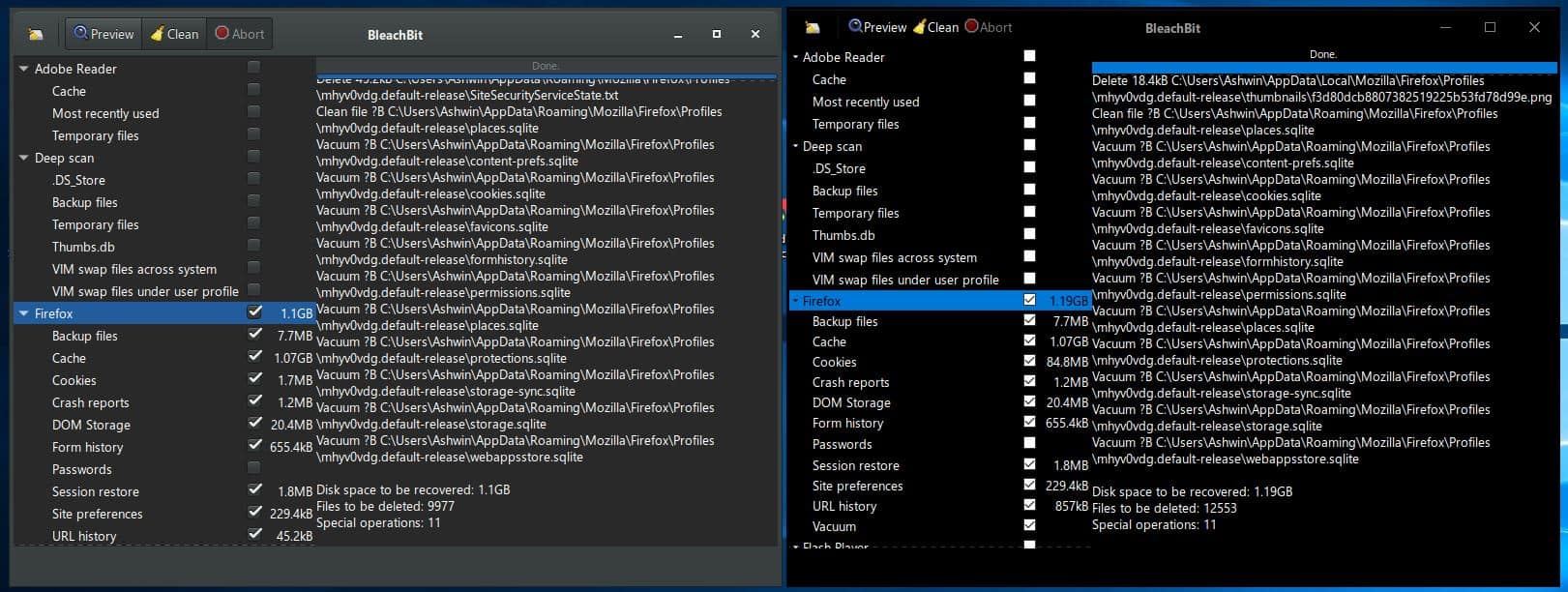
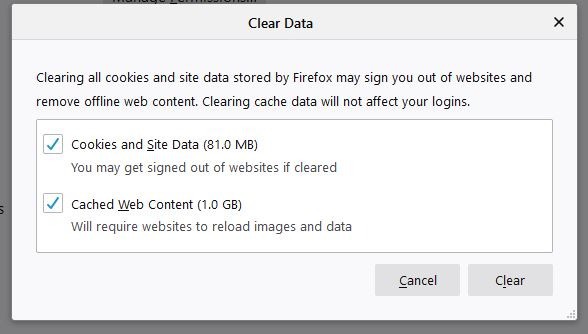
The preview mode in BleachBit 4.0 showed that it could clean 84.8MB of cookies, and 857KB of URL history. Compared to this BleachBit 3.2.0 could only clean 1.7MB and 45.2KB of the same data types. That's a significant difference in the size. Firefox's built-in clear data option showed that it could clean up 81MB of cookies and site data. So, the new version of BleachBit does appear to be doing a similar job, which is impressive. I'm not sure what the extra ~4MB it cleans, it's probably related to data stored by extensions.
The cleaner in BleachBit 4 will clean much more of Opera and gPodder. I don't use either of those, so I couldn't test the newer modules.
New themes in BleachBit 4.0
Here is a comparison screenshot of the preferences window of BleachBit 3.2.0 vs BleachBit 4.0. There is a new option called Windows 10 Theme in the latter's interface.
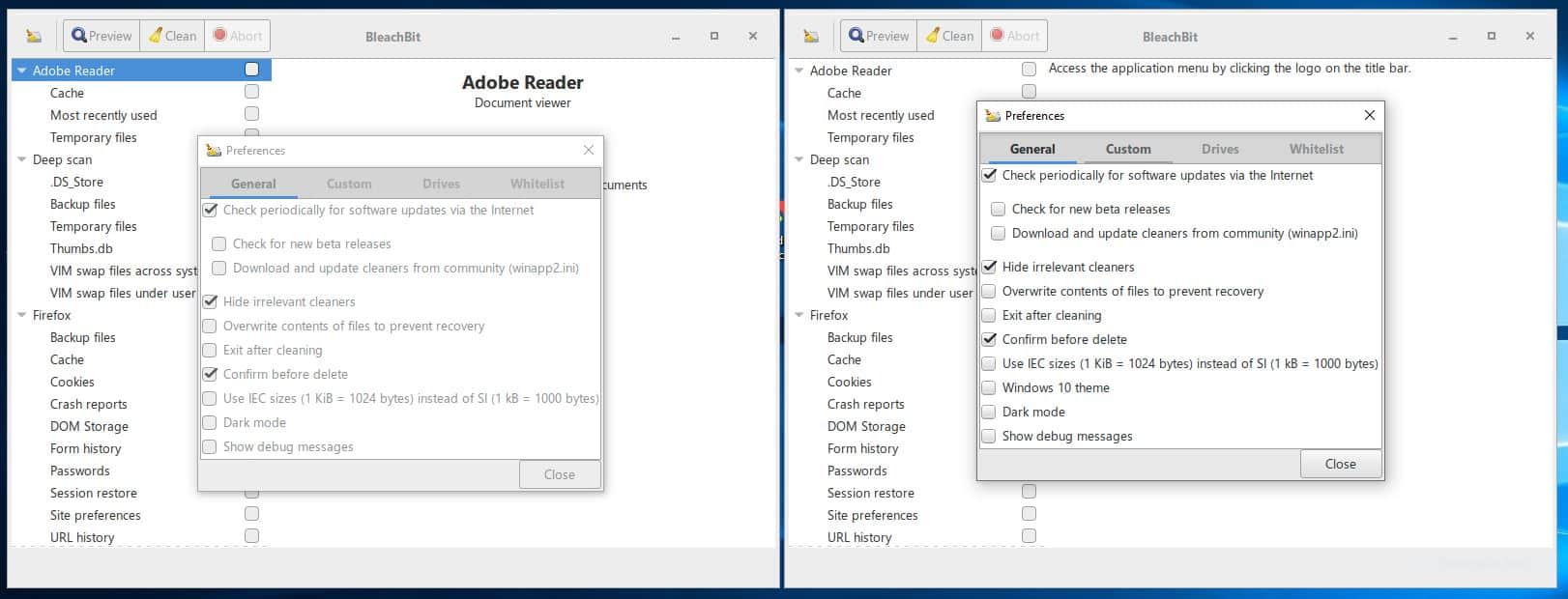
Technically, there are 4 themes in BleachBit 4.0. By default, it ships with Dark Mode enabled, this is the "Adwaita Dark" theme. Disabling this option switches to the Adwaita Light theme. The Windows 10 Theme is similarly available in light and dark modes. The new theme settings are exclusive to the Windows version of the program.
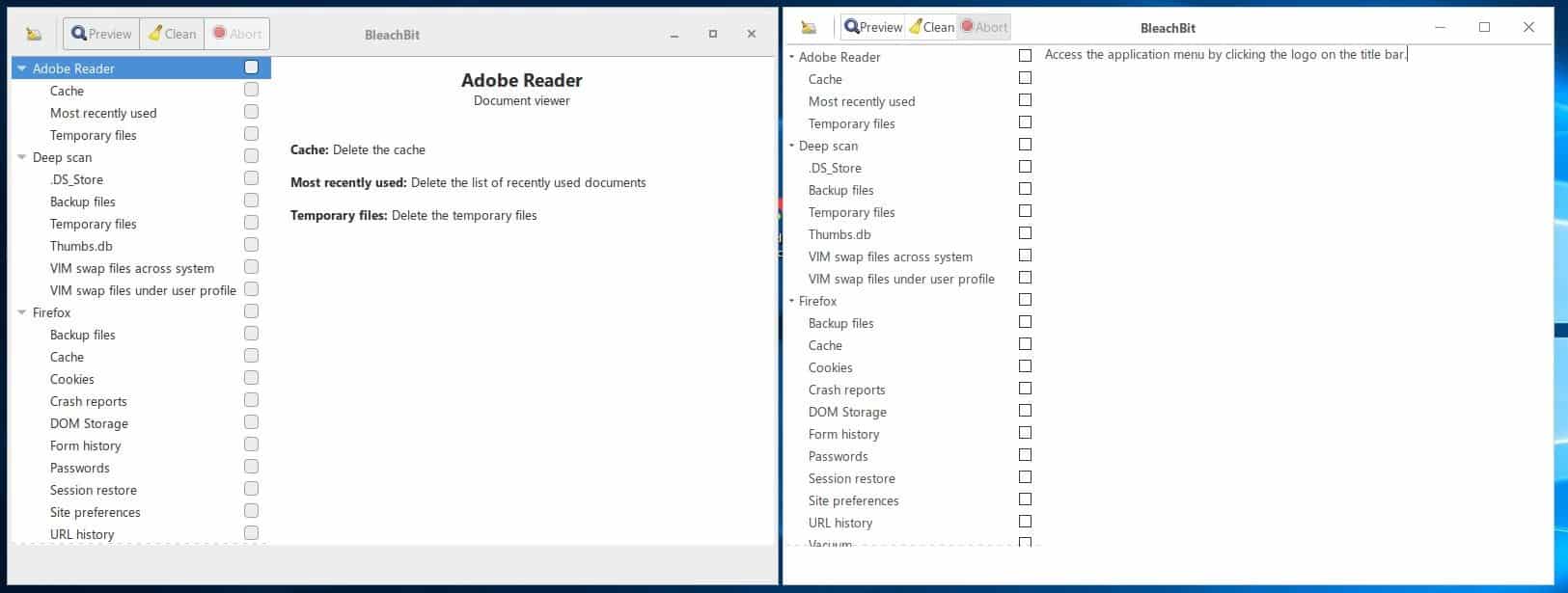
This is what the new BleachBit Windows 10 Light theme looks like.
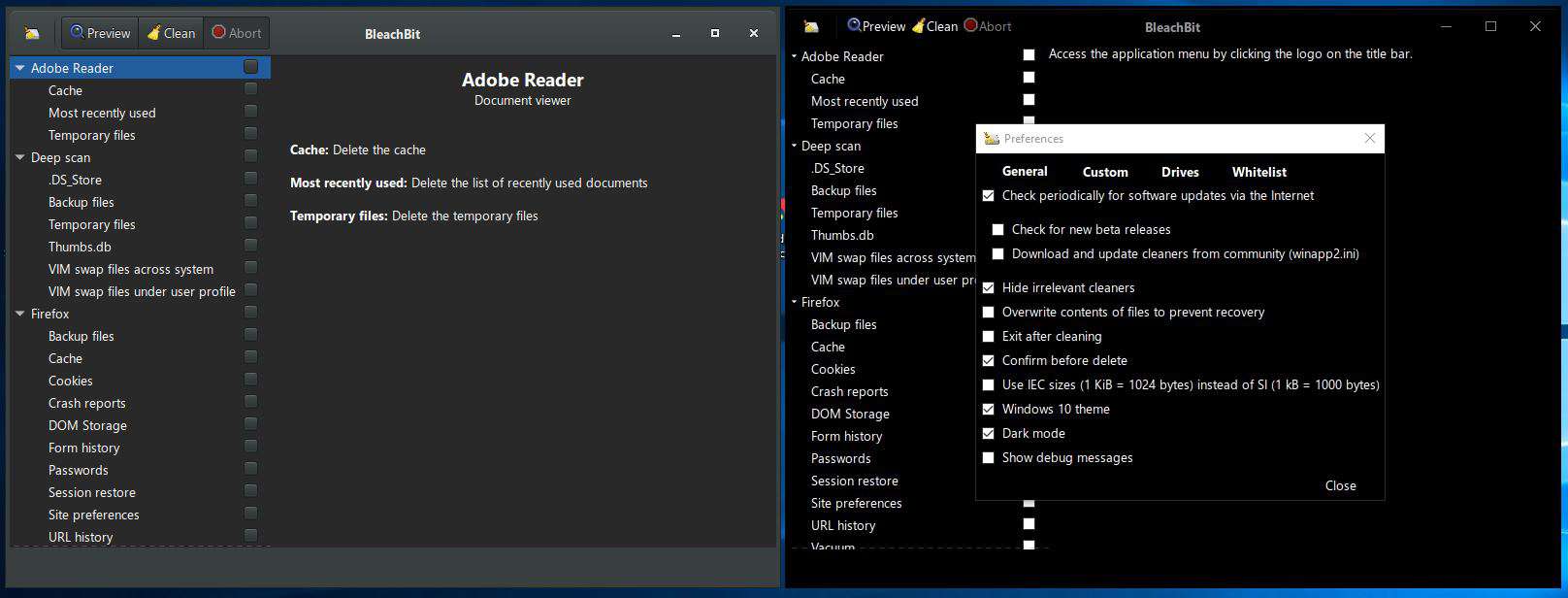
And here's the BleachBit Windows 10 Dark theme which blackens the background. Did you notice the title bar has changed as well when the Windows 10 themes are enabled? The Preview, Clean and Abort tabs are now sort of scrunched together, and the buttons at the top right are somewhat larger. The interface of the program is slightly taller and displays one extra item, well half an item in the list.
Thank you for being a Ghacks reader. The post BleachBit 4.0 released with improvements for cleaning Firefox, Chrome and more themes appeared first on gHacks Technology News.
إرسال تعليق